ErgoStrategies Electronics
Rechargeable Wireless Keyboard Mouse Combo Full Size Cordless Keyboard & Mouse Sets with Build-In Lithium Battery Ultra Thin Quiet Keyboard Mice (Black and Rose Gold)
Rechargeable Wireless Keyboard Mouse Combo Full Size Cordless Keyboard & Mouse Sets with Build-In Lithium Battery Ultra Thin Quiet Keyboard Mice (Black and Rose Gold)
Couldn't load pickup availability
- Type-C Rechargeable Convenience: Charge just 2 hours for 90 days of use. With auto-sleep mode, Our keyboard mouse combo is perfect for frequent travelers, busy professionals, and anyone tired of changing batteries. Saves time and reduces waste.
- Quiet Typing Experience:Our keyboard’s advanced scissor-switch mechanism is engineered for quiet operation, perfect for offices, libraries, or late-night work. This creates your personal zone of focus, ideal for remote workers, students, and open-plan offices, ensuring your productivity never becomes a distraction to anyone around you.
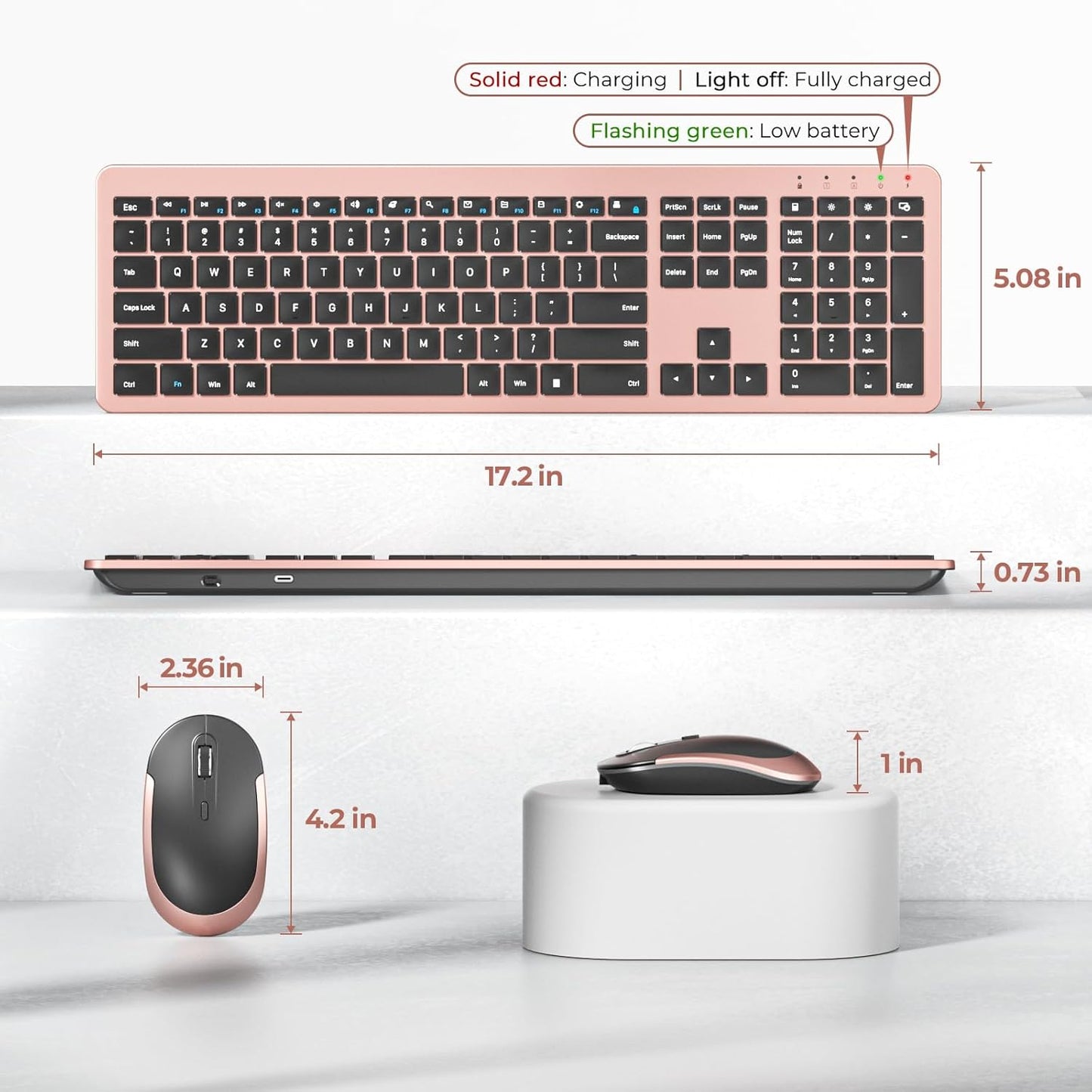
- Sleek and Modern Design:Elevate your workspace with a stylish, ultra-slim profile. This full-sized keyboard with numeric pad fits modern home offices, dorms, and minimalist setups. Combines full functionality with a space-saving, aesthetic look.
- Plug & Play Simplicity:Get started in seconds. Use a seamless wireless keyboard mouse combo with just one USB receiver for both devices, offering easy installation by simply plugging into your computer port for instant operation. Enjoy a stable, lag-free connection up to 33 feet away with no complicated software or drivers needed.
- Precise & Responsive Control:3 adjustable DPI levels (800/1200/1600 DPI) allows you to change the cursor sensitivity easily and track more smoothly over a variety of surfaces, helping to improve your productivity.
Product description
-
Is this Bluetooth-compatible?
Sorry. This set is designed for a USB‑A receiver connection only (no Bluetooth). A dedicated receiver gives you a more reliable, stable, and hassle‑free connection with less interference. Plug it in and you're good to go.
-
What to do if keys not working/key input delay/automatic key input?
1. Please fully charge it and then try to re-pair.
2. If only one or a few specific keys are problematic, press the non-working key firmly for 5-7 seconds to see if it starts working normally.
-
Where's the receiver?
It's tucked inside the mouse battery compartment. Pop it back in when you're done working or hitting the road—keeps it safe, secure, and impossible to lose.
-
What to do if unable to connect / connection is intermittent?
1. Try fully charging it and confirm whether the keyboard/mouse can be turned on.
2. Insert the USB receiver into your device (try a different one if necessary).
3. It can be used properly
-
Is the keyboard comfortable to use even though it's so thin?
Yes. The low‑profile keys and slim design don't sacrifice comfort — they actually promote a more natural wrist position while typing. Plus, the sleek look makes you actually want to keep it on your desk.